The Blender floor generator that lays the floor for you
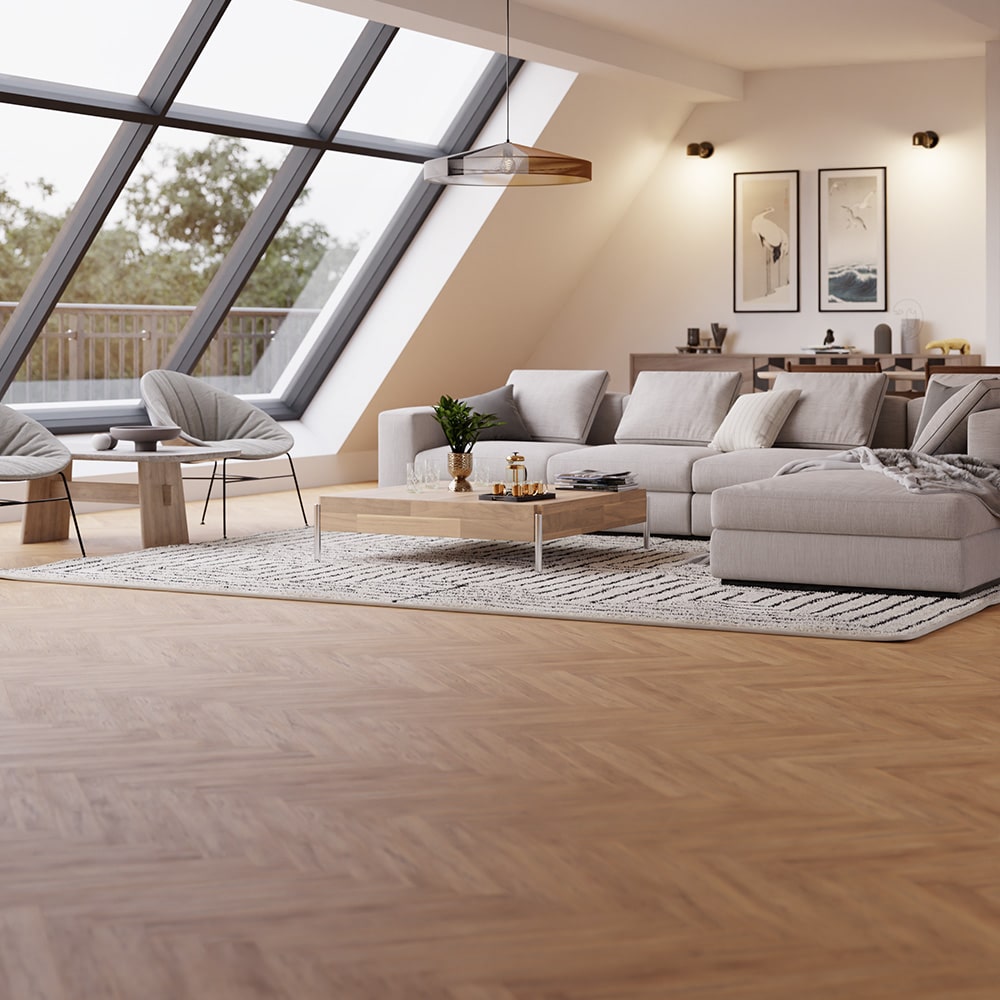
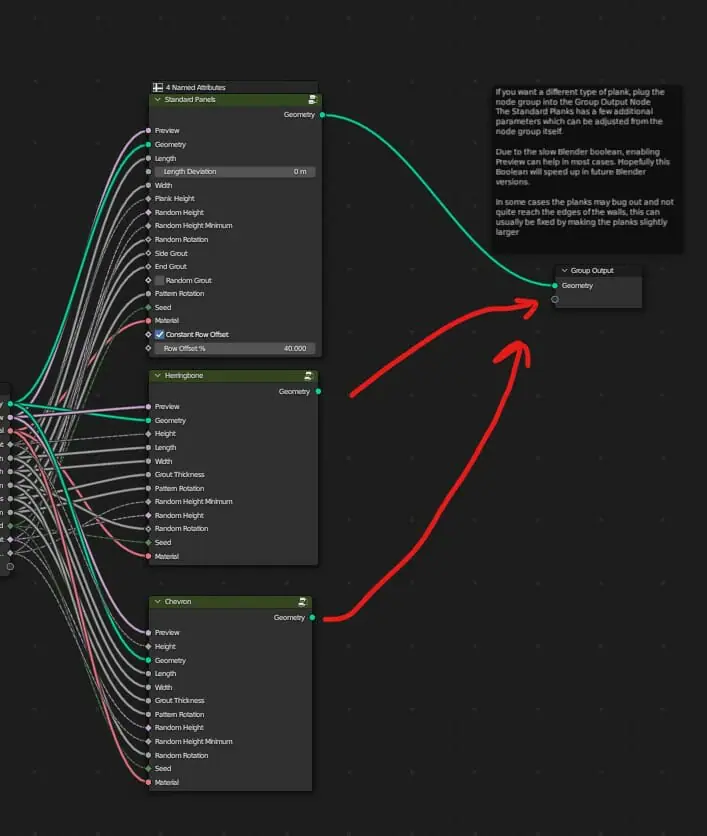
Give it a room shape and it fills the surface: wood planks in standard, herringbone or chevron layouts, metro tiles, clapboard siding. 30 wood materials, trimmed to your boundary, updating live in the viewport.
Why a floor generator instead of arraying planks by hand
A floor modelled by hand is frozen. The moment the room changes shape, the client picks a different oak, or the art direction swings from clean to rustic, you are back to arraying, cutting and re-unwrapping planks. A procedural floor is a set of decisions you can still change: the layout, the material, the plank sizes and the wear are all parameters, and the floor re-lays itself when you move a wall.
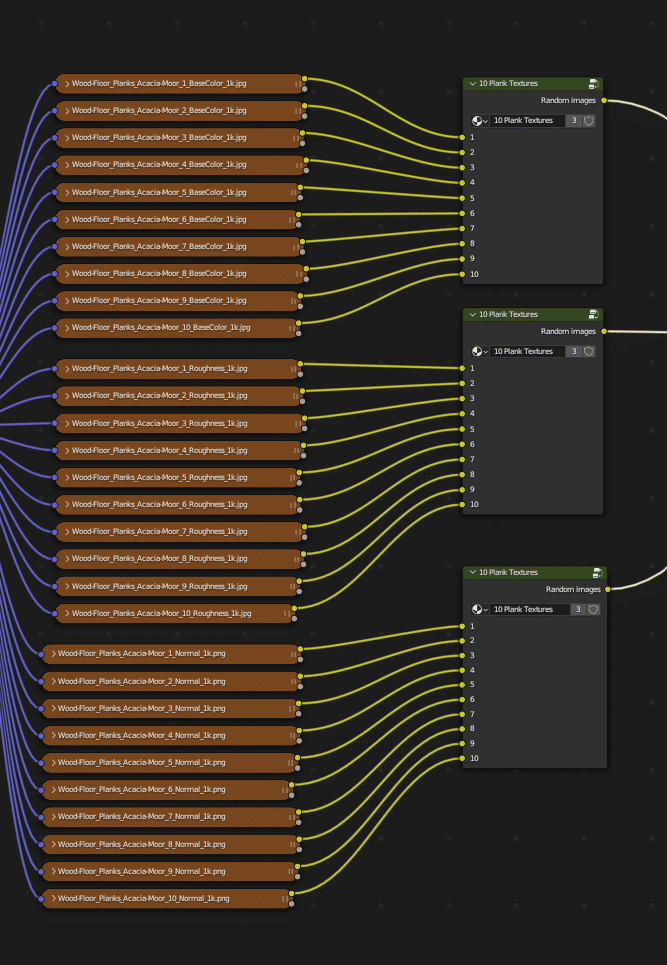
Repetition is the other giveaway in rendered floors. Because every material here carries ten distinct plank textures, the generator can lay a large floor without the copy-paste pattern your eye catches in tiled textures. Randomised plank lengths and rotations break the grid up further, which is what makes close-up shots survive scrutiny.
And when the deadline is close, the floor stops being a modelling task at all: swap the layout from standard to herringbone, drag the dirt and scratch sliders until the age reads right, and judge it live in the viewport instead of waiting on test renders.
A wood floor generator with real manufacturer textures
The system ships with 30 wood floor materials produced with wood flooring manufacturers. Each material carries 10 individual plank textures, so planks do not visibly repeat across a floor, and each comes in 1K, 2K and 4K tiers so the VRAM cost matches the shot instead of always paying for 4K.
Age the floor without touching a texture editor
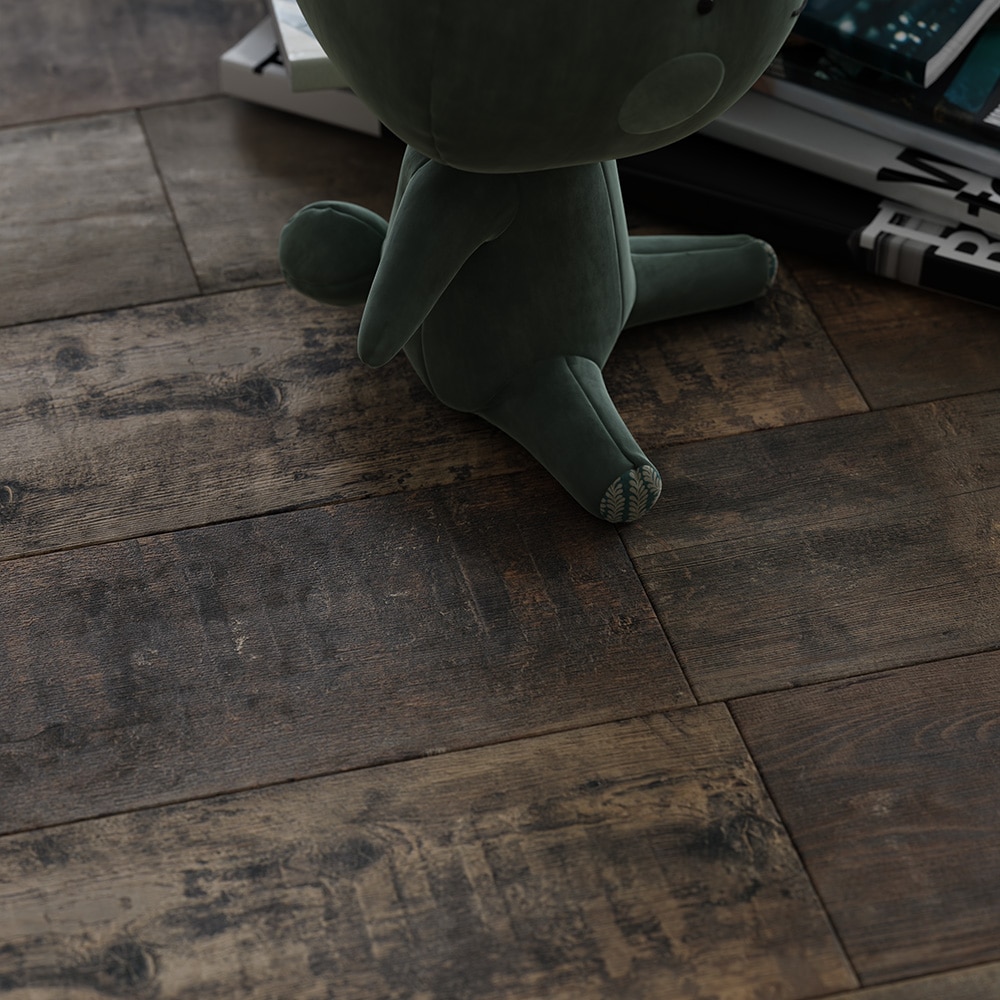
The shader exposes saturation, contrast, roughness, dirt, scratches and grout. A clean showroom finish and a floor with twenty years of history are the same material with different sliders, and the viewport updates as you drag them.
v2 adds tiles, metro insets, siding and trims
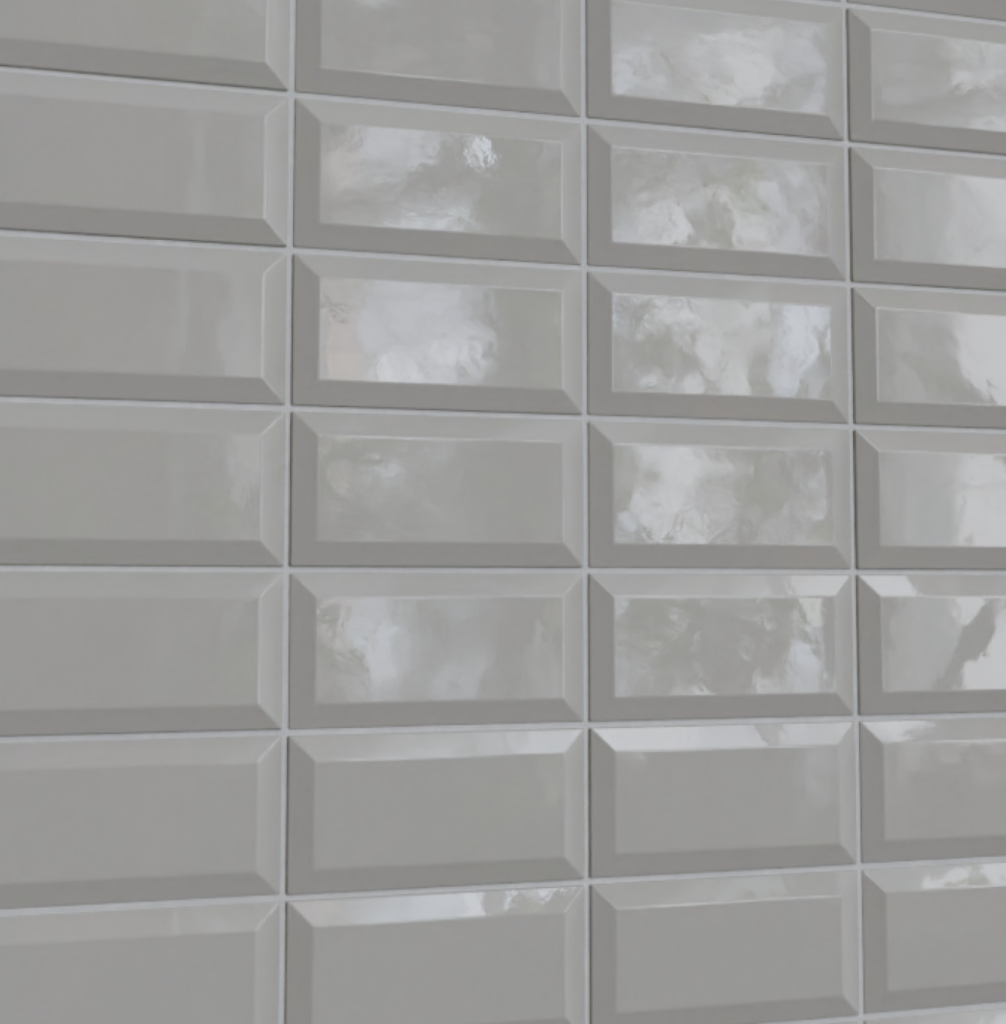
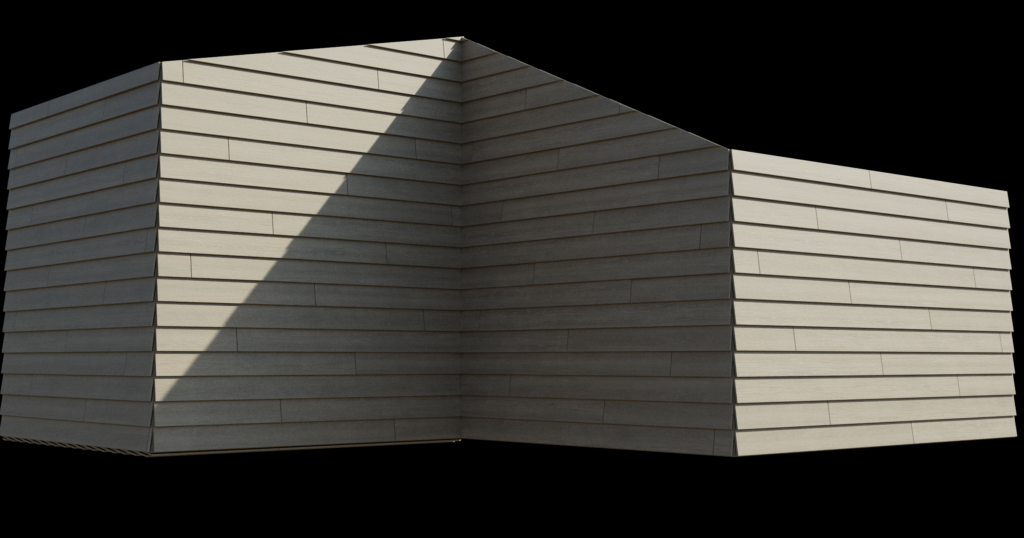
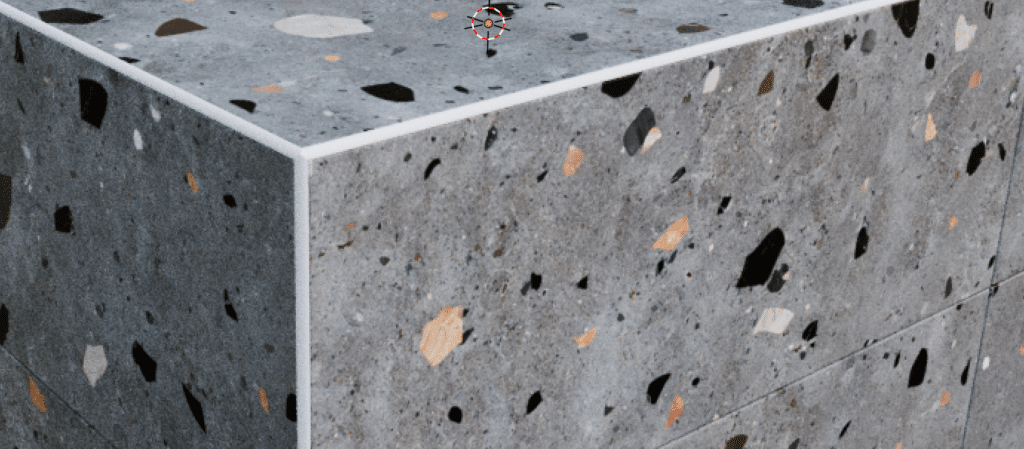
Floor Generator v2 extends the same workflow beyond wood. The Inset Scale parameter turns plain tiles into metro-style walls, clapboard siding handles exterior wood with plank rotation set automatically from plank height, and corner trims size themselves to the tile and can be placed per edge with attributes. A single anchor vertex controls where the pattern starts.
What you actually get
Two systems that share one workflow. The wood floor generator and shader: 30 wood floor materials produced with flooring manufacturers, 10 unique plank textures per material, each in 1K, 2K and 4K, with standard, herringbone and chevron layouts and shader controls for saturation, contrast, roughness, dirt, scratches and grout. And Floor Generator v2: the tile system with metro-style insets, clapboard siding for exteriors, corner trims that size themselves to the tile, and per-edge control through Blender's attributes.
Both are Blender geometry nodes systems, delivered through the iMeshh asset library and included with plans, next to the roof generator and fence generator from the same family. Updates arrive through the library, so a fixed or improved generator replaces the old one without re-buying anything.
See it lay a floor
The walkthrough covers the update end to end: layouts, the shader, and the v2 tile features.
Questions
- Does it handle rooms that are not rectangular?
- Yes. Apply the modifier to your room shape or plane and the boolean trimming cuts planks and tiles to the boundary. In v2 you can also add a single standalone vertex to the object and the pattern uses it as its anchor, so you control exactly where the first plank or tile starts.
- Can it do herringbone and chevron floors?
- Yes. The wood floor system switches between standard, herringbone and chevron layouts in the geometry nodes parameters, and the layout updates live in the viewport.
- Is this a parquet generator?
- Herringbone and chevron are the two classic parquet patterns, and both are built in. If a project calls for straight planks instead, the standard layout covers it with the same materials and the same trimming.
- Can I use it on walls as well as floors?
- Yes. The v2 tile system is how the metro-tile walls in the screenshots were made, and clapboard siding is designed for exterior wood walls, with plank rotation set automatically from plank height.
- Can I change plank sizes and gaps?
- Yes. You can edit plank sizes directly in Edit Mode, or use the geometry nodes parameters to randomise plank lengths and rotations. The advanced options expose the plank appearance down to plank height and grout width.
- Will 4K textures eat my VRAM?
- Only if you ask them to. Every material ships in 1K, 2K and 4K tiers, and each material is several maps (diffuse, roughness, normal), so the guides recommend 1K or 2K for most interiors and 4K only for extreme close-ups.
- How do I get it?
- The floor generators are part of the iMeshh asset library, included with plans alongside the roof, fence and other geometry-node generators. The full parameter walkthroughs live in the documentation.
Floors are solved. Go render the rest.
Full parameter walkthroughs: wood floor system and Floor Generator v2.