Your studio,
on your desktop.
Run your projects and import your asset library directly into your 3D software. Blender today, D5 and more on the way.
v0.2.20·Windows 10 & 11 (64-bit)· Signed by iMeshh Ltd
Latest release 16 October 2026
Already running iMeshh Pro? Update from the app’s built-in updater, no need to reinstall. Prefer the browser? Open iMeshh on the web.
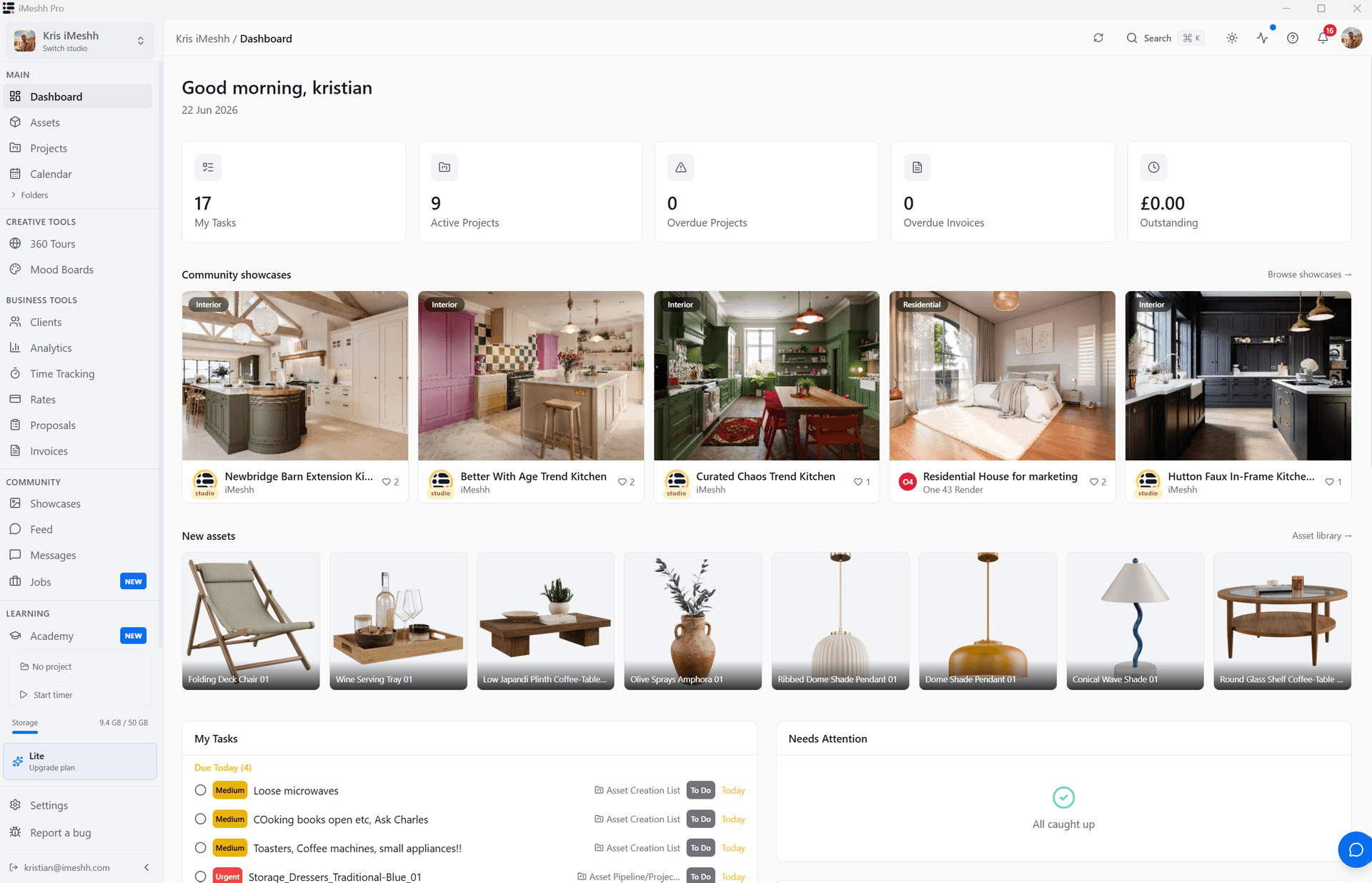
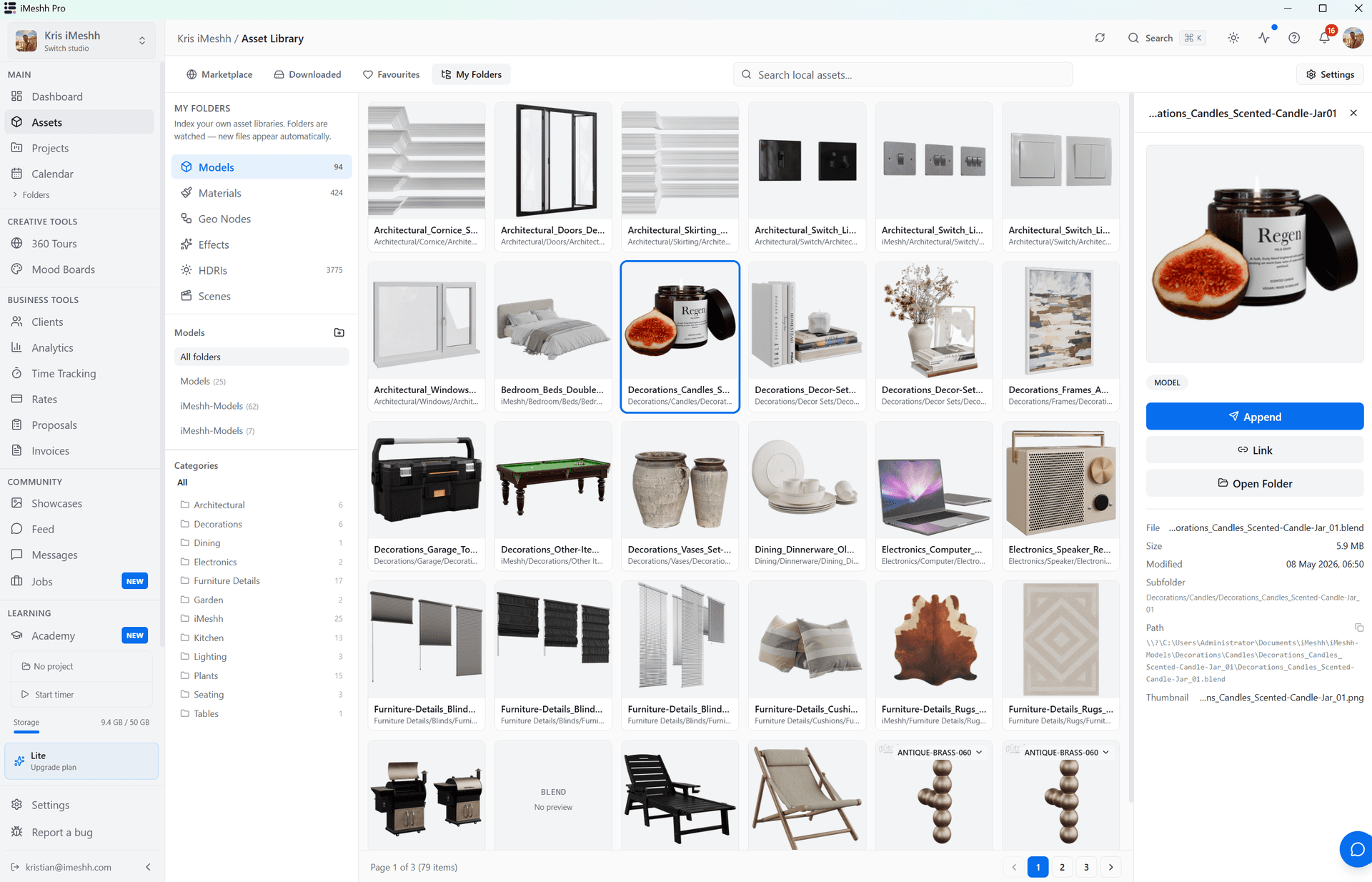
Run the work. Bring in the assets.
Your whole studio, native.
Run your projects from the desktop: clients, review, delivery and invoicing. The full iMeshh Pro platform, in its own app.
Import straight into your software.
Browse the asset library and import any asset directly into Blender with a single click. D5 Render and more integrations are on the way.
Saves to your disk.
Assets download to a folder you choose, so your library is local and yours. Open it in Explorer any time.
Built-in updater.
When a new version ships, the app flags it and updates with a click. No reinstalling, no hunting for the latest download.
Download questions.
Is the desktop app free?+
Yes. The app is free to download and install with any iMeshh account. Downloading the full asset library requires a paid plan; free assets are available to everyone.
Which 3D software does it work with?+
Blender today. Browse the library and import any asset with a single click. D5 Render and more integrations are on the way, and the project workflow runs from the desktop regardless of which software you use.
Will Windows warn me when I install it?+
It shouldn't. The installer is code-signed by iMeshh Ltd and timestamped, so Windows recognises the publisher. If you see a SmartScreen prompt on a brand-new release, choose More info → Run anyway.
Do you have a Mac or Linux version?+
Not yet. Windows is available today; macOS and Linux are on the roadmap. Until then, everything also works in your browser at pro.imeshh.com.
How do I sign in?+
Open the app and sign in once with your iMeshh account, the same email and password you use on pro.imeshh.com. If you signed up during the beta, just log in; you don't need to sign up again.