GLB & glTF viewer
Free online 3D model viewer with photoreal path tracing. Orbit, inspect, render. Nothing uploaded.
100% in your browser: your files never leave your device
Drop a .glb or .gltf file here
or click to choose. For a .gltf with separate files, select the .bin and textures too.
Files up to about 100 MB work best on a desktop browser. Rendering runs on your machine, so larger files need more memory.
Environment HDRIs by Poly Haven (CC0).
Open GLB and glTF files in your browser
This is a free GLB and glTF viewer that runs entirely in your browser, built on three.js. Drop a file in, or open one straight from a URL, and it renders under real HDRI lighting with orbit controls: drag to rotate, scroll to zoom, right-drag to pan, with an adjustable field of view. Swap shading between the original materials, clay, wireframe and normals to check the topology, and read the inspector: meshes, triangles, vertices, materials, animations, file size and the model's real-world dimensions in metres. A screenshot button saves a PNG in square or 16:9. On desktop, Photoreal mode path traces the same scene with a physical camera, so you can set the aperture, click to focus and let the image converge. It works as a GLB viewer and a glTF viewer in exactly the same way, since .glb is simply the single-file binary form of glTF. Use it to check an export before it goes to a client, or to inspect a downloaded asset before it goes into a scene.
What Photoreal mode looks like
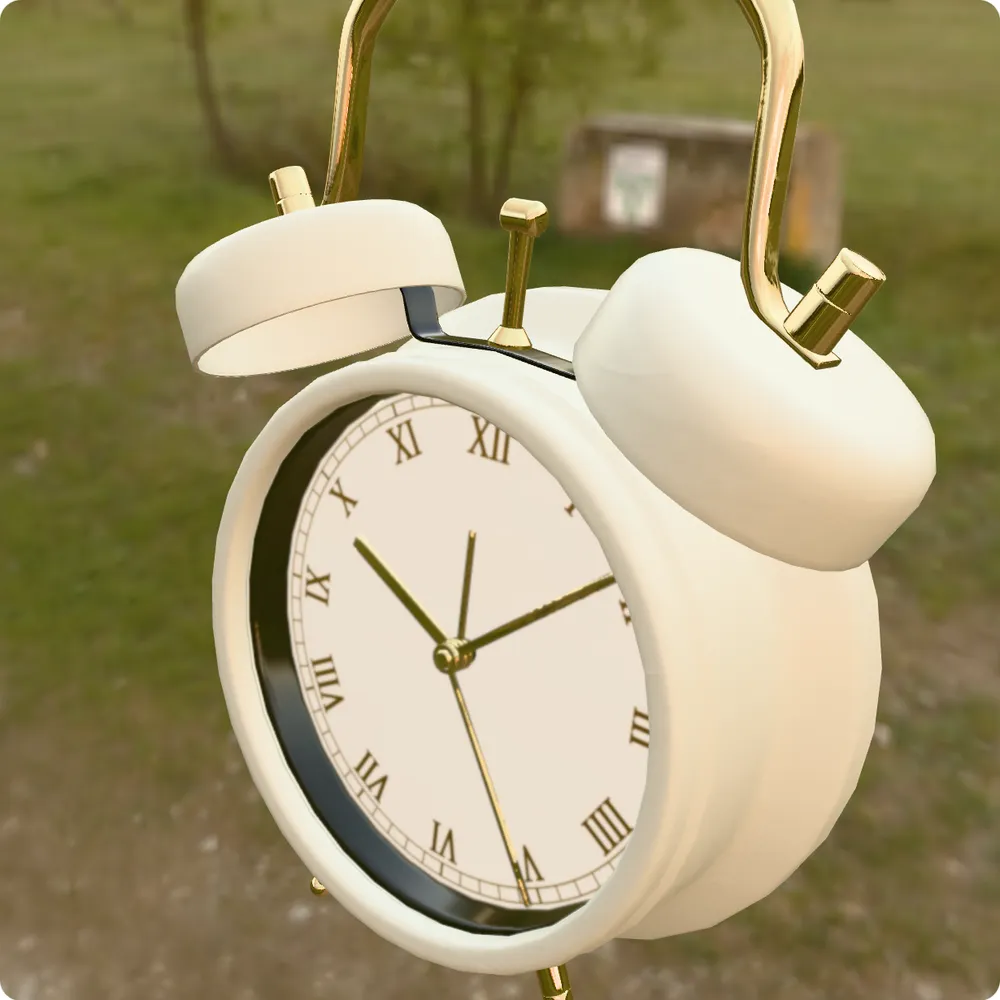
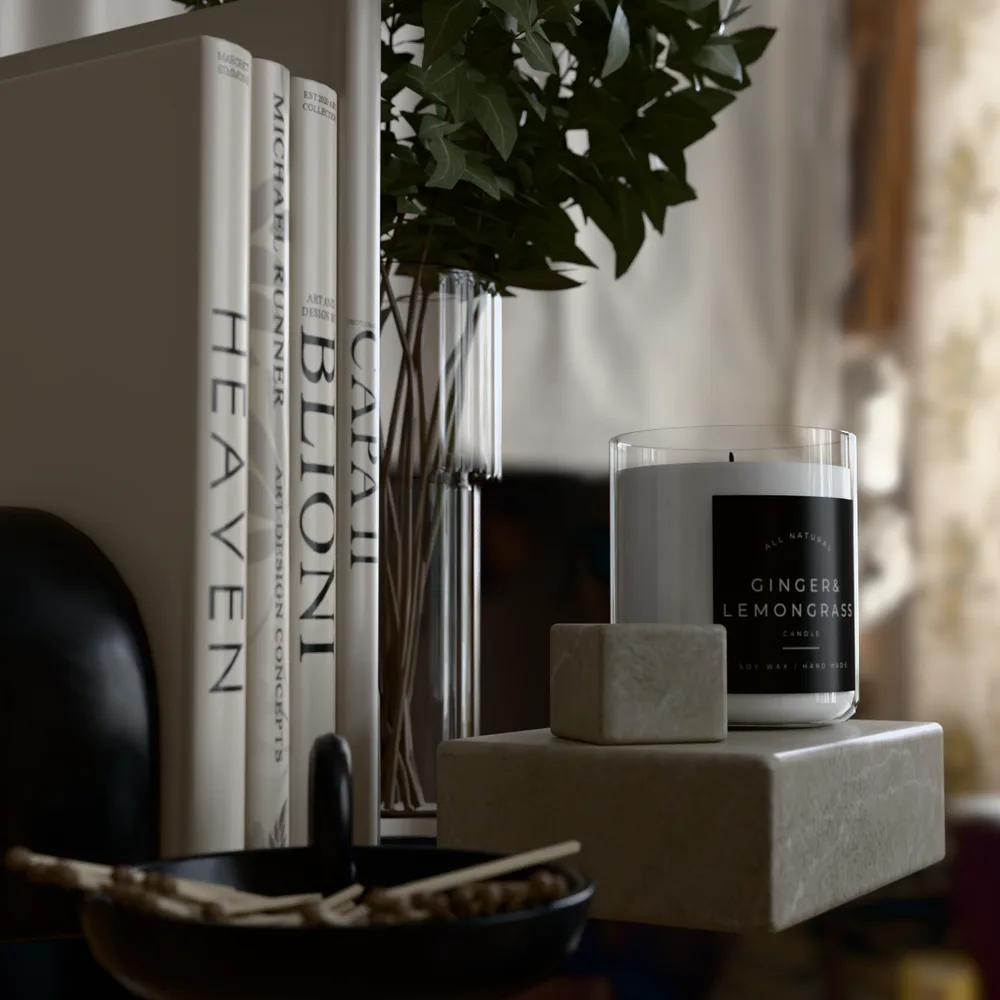
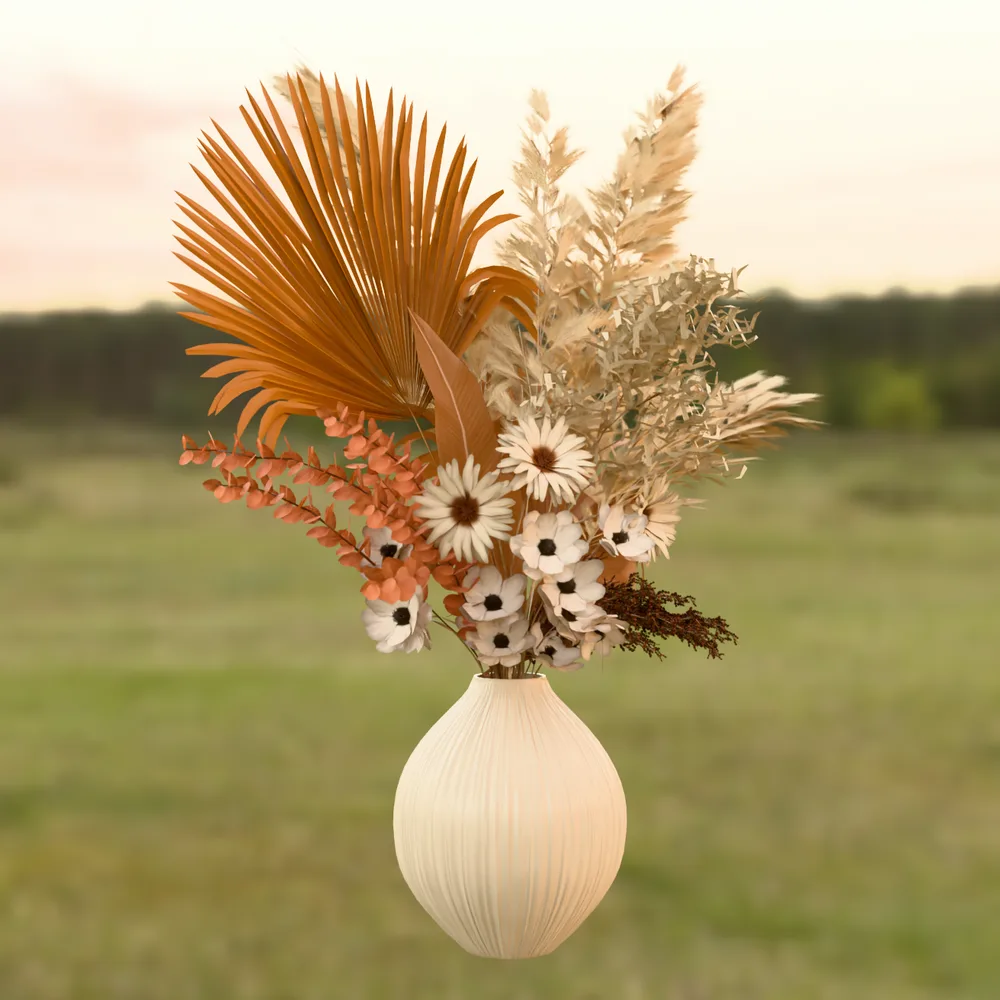
These are unedited captures from this viewer, rendered in the browser on iMeshh library models. The standard view is fast raster rendering. Photoreal mode path traces the same scene with a physical camera: real reflections, soft shadows and depth of field, converging live while you watch.




What makes this viewer good
Most online viewers stop at basic lighting and a turntable. This one is built to answer the questions you actually have about a file: does it read correctly, how heavy is it, and what does it look like under real light.
Path tracing
Photoreal mode renders your model with progressive path tracing: real light bounces, accumulated sample by sample into a clean image with accurate reflections and soft shadows. It is the kind of lighting most online viewers cannot do, and it runs free, in your browser, on your own GPU. Nothing starts until you switch it on, so the page stays fast. Cap the samples, pick a render size from 0.5x to 2x, and save the result as a PNG. On browsers with WebGPU, an optional AI denoiser cleans the image up early.
Depth of field
The path tracer uses a physical camera. Click any point on the model to set the focus, pick an f-stop between f/0.8 and f/16, and the blur falls off the way a real lens renders it, computed by the tracer rather than pasted on as a screen filter. Framing a product shot takes seconds: focus on the front of the model and the background softens naturally.
HDRI lighting
Six curated HDRI environments, studio and outdoor, switchable from a picker right on the canvas. Image-based lighting is why PBR materials read correctly here: metals pick up the room and glass has something real to refract. Show the environment as the backdrop, blur it, or swap to a flat colour, and set the light intensity with a slider. All HDRIs are CC0 from Poly Haven and served from this site.
Full glTF and GLB support (DRACO, meshopt, KTX2)
This viewer opens the files that make thinner tools stumble. DRACO and meshopt compressed geometry, KTX2 compressed textures and quantized attributes all decode locally, with the decoders served from this site rather than a CDN. Drop a single .glb, or a .gltf together with its .bin and textures. Files up to about 100 MB work well on a desktop browser, and the inspector reads out meshes, triangles, vertices, materials, animations, file size and real-world dimensions in metres.
Private by design
There is no upload. Your file is read in memory on your machine and rendered by your own graphics hardware, and a model loaded from a URL is fetched by your browser straight from its host. Nothing is stored and nothing passes through our servers, so client work and unreleased designs are safe. Close the tab and the file is gone.
Free
No account, no watermark, no credits, no limits. This viewer exists because we make 3D assets for a living and wanted a fast, honest way to check glTF exports, so it stays free. If you need models to test with, the iMeshh asset library has hundreds of optimised glTF models ready to drop in.
How to open a GLB or glTF file
- 1
Drop the file in. Drag a .glb onto the viewer above, or click the drop zone to choose one. For a .gltf, select the .bin and texture files together with it. You can also open a model from a link: add
?src=and the file's https URL to this page's address. - 2
Orbit and inspect. Drag to rotate, scroll to zoom, right-drag to pan. Swap shading between original, clay, wireframe and normals, pick an HDRI, and read the stats: meshes, triangles, materials, animations and real-world size.
- 3
Render or export. Switch on Photoreal for a path-traced still with depth of field, take a PNG screenshot in square or 16:9, or send the model to the STL converter for 3D printing.
How it compares
The established developer viewers are excellent at what they do, and the comparison reflects that. Where this page differs is the rendering: path tracing in a browser is still rare, and none of the big-name viewers offer it.
| Feature | This viewer | don McCurdy glTF Viewer | Babylon.js Sandbox | Typical online viewer |
|---|---|---|---|---|
| Path-traced photoreal render | Yes | No | No | Rarely |
| Physical depth of field (click to focus, f-stop) | Yes | No | No | Rarely |
| HDRI lighting | 6 curated, on-canvas picker | Presets | Yes | Varies |
| DRACO, meshopt and KTX2 compressed files | Yes | Yes | Yes | Varies |
| Files never uploaded | Yes | Yes | Yes | Varies |
| Load a model from a URL | Yes | Yes | Yes | Rarely |
| Free, no sign-up, no watermark | Yes | Yes | Yes | Usually |
| Opens ~100 MB production files | Yes | Yes | Yes | Varies |
A few newer tool pages also path trace. What this one adds on top is click-to-focus depth of field with a real f-stop, six curated HDRIs with an on-canvas picker, and a 2x render size for crisp exports.
Share or embed this viewer
Any model hosted on a CORS-enabled host can be opened by link: add ?src= and the file's https URL to this page's address. GitHub raw links and public buckets work. Hoststhat do not allow cross-origin requests will refuse the browser's fetch, and the viewer says so honestly rather than routing your file through a server. When a model is loaded from a URL, a Share button appears on the canvas to copy the link, and the address bar always reflects what is on screen.
To put the viewer on your own page, use the iframe snippet below. It points at a chrome-less embed of this viewer with the model URL of your choice. We never host model files: the visitor's browser fetches your file from your host, and rendering happens on their machine.
https://imeshh.com/tools/gltf-viewer?src=https%3A%2F%2Fyour-host.com%2Fmodel.glb
<iframe src="https://imeshh.com/tools/gltf-viewer/embed?src=https%3A%2F%2Fyour-host.com%2Fmodel.glb"
  width="720" height="480" style="border:0;border-radius:12px"
  loading="lazy" allowfullscreen title="3D model viewer"></iframe>
<p>Viewed with the <a href="https://imeshh.com/tools/gltf-viewer" rel="nofollow">iMeshh glTF viewer</a></p>
Common questions
What is the difference between .glb and .gltf?
They are the same format packaged differently. A .glb is a single binary file with the geometry, textures and materials inside, which makes it easy to pass around. A .gltf is a JSON file that usually references a separate .bin file and texture images. This viewer opens both: drop a .glb on its own, or select a .gltf together with its companion files.
How do I open a GLB file?
Drag the .glb onto the viewer above, or click the drop zone and choose the file. You can also open a model straight from a link: add ?src= followed by the file's https URL to this page's address and it loads on arrival. Either way the file opens in your browser and nothing is uploaded.
Is my model uploaded to a server?
No. The viewer runs entirely in your browser with WebGL. Your file is read in memory on your machine and rendered by your own graphics hardware. When a model loads from a URL, your browser fetches it straight from that host; it never passes through our servers.
Why does my model appear grey or without textures?
The most common reason is a .gltf whose texture images were not selected alongside it. Select the whole set together, or re-export as a single .glb. The viewer tells you which texture files it could not find, so you know exactly what to add.
What is path tracing and when should I use it?
Path tracing simulates real light bouncing around the scene, which is where the soft shadows, accurate reflections and true depth of field come from. The image starts grainy and refines over a few seconds into a clean photoreal still you can screenshot. Switch it on for a render, leave it off for fast orbiting. It needs a desktop browser with WebGL2.
How large a file can it open?
There is no fixed limit; it depends on your machine's memory and graphics hardware because the model renders locally. Files up to about 100 MB open fine on a typical desktop. Very heavy scenes load more slowly and orbit less smoothly rather than failing outright, and mobile browsers hit memory limits much sooner.
Can I view glTF on a phone or tablet?
Yes. Orbit works with touch, and the HDRI picker and the inspector work the same as on desktop. Path tracing is heavy, so Photoreal mode stays desktop only, and mobile browsers hit memory limits sooner on large files.
Can I share or embed the viewer?
Yes. If your model is hosted somewhere CORS-enabled, like GitHub raw or a public bucket, open it with ?src= and use the Share button to copy a link that reproduces it. The embed block on this page gives you an iframe snippet that puts the viewer on your own page. We never host your files, so a model dropped in from your disk cannot be shared by link.
Photoreal mode is slow or the denoiser will not run. How do I fix it?
Both usually mean the browser is not on your dedicated GPU. On Windows, open Graphics settings, add Chrome, set it to High performance on your dedicated GPU, and relaunch Chrome, which alone can transform render speed and make the denoiser work. In the NVIDIA Control Panel, under Manage 3D settings for Google Chrome, set Power management mode to Prefer maximum performance. Make sure Chrome hardware acceleration is on in Settings then System. Check chrome://gpu: if WebGPU shows software or reduced performance, update your graphics driver and Chrome. Remote Desktop and remote sessions force software mode, so Photoreal can only run at the physical machine.
Works with files from Blender, Sketchfab downloads, Substance Painter exports, photogrammetry tools, AI model generators and anything else that writes valid glTF 2.0.
Need an STL for 3D printing? Convert it with the free GLB to STL converter.
Too many triangles? Generate LODs without losing UVs.
Updated 9 July 2026
Building with glTF?
iMeshh's asset library includes hundreds of optimised glTF models alongside 2,500+ Blender-native assets: furniture, materials and full scenes, made by archviz professionals.
Browse the asset library